Virtual Staging vs Real Staging: Cost, Time and When Each Makes Sense
An honest comparison of virtual and physical home staging for sellers, agents and developers: cost, time, what buyers expect, and when to use which.
Short answer: virtual staging adds furniture to a photo of an empty room. It takes seconds, costs a small fraction of physical staging, and works for any number of rooms and styles, which makes it the right choice for online listings and off-plan marketing. Physical staging puts real furniture in the real home. It costs far more and takes days, and it pays off mainly when buyers will walk through the property in person, usually at the higher end of the market. Many sellers do both: virtual for the listing photos, physical for the one or two rooms that matter most at a viewing.
| Empty | Virtually staged |
|---|---|
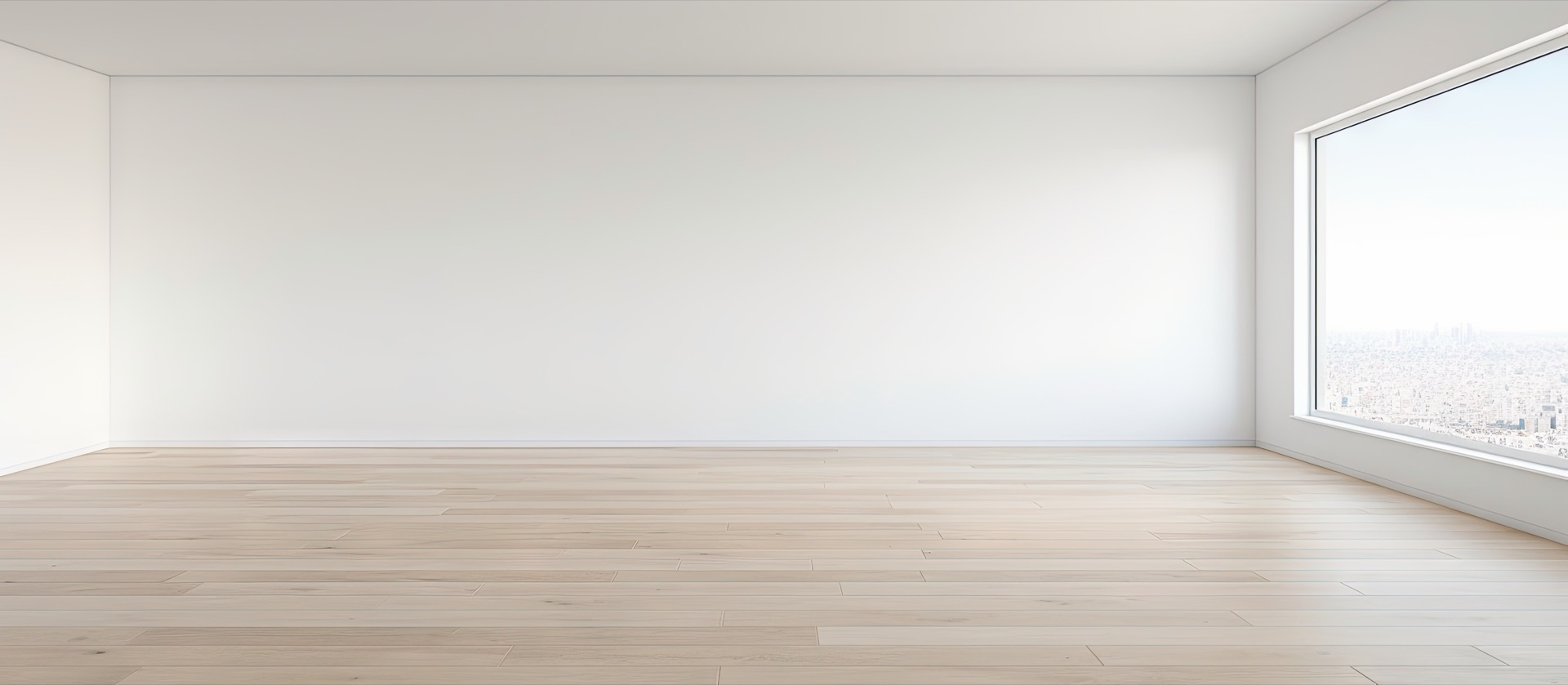 | 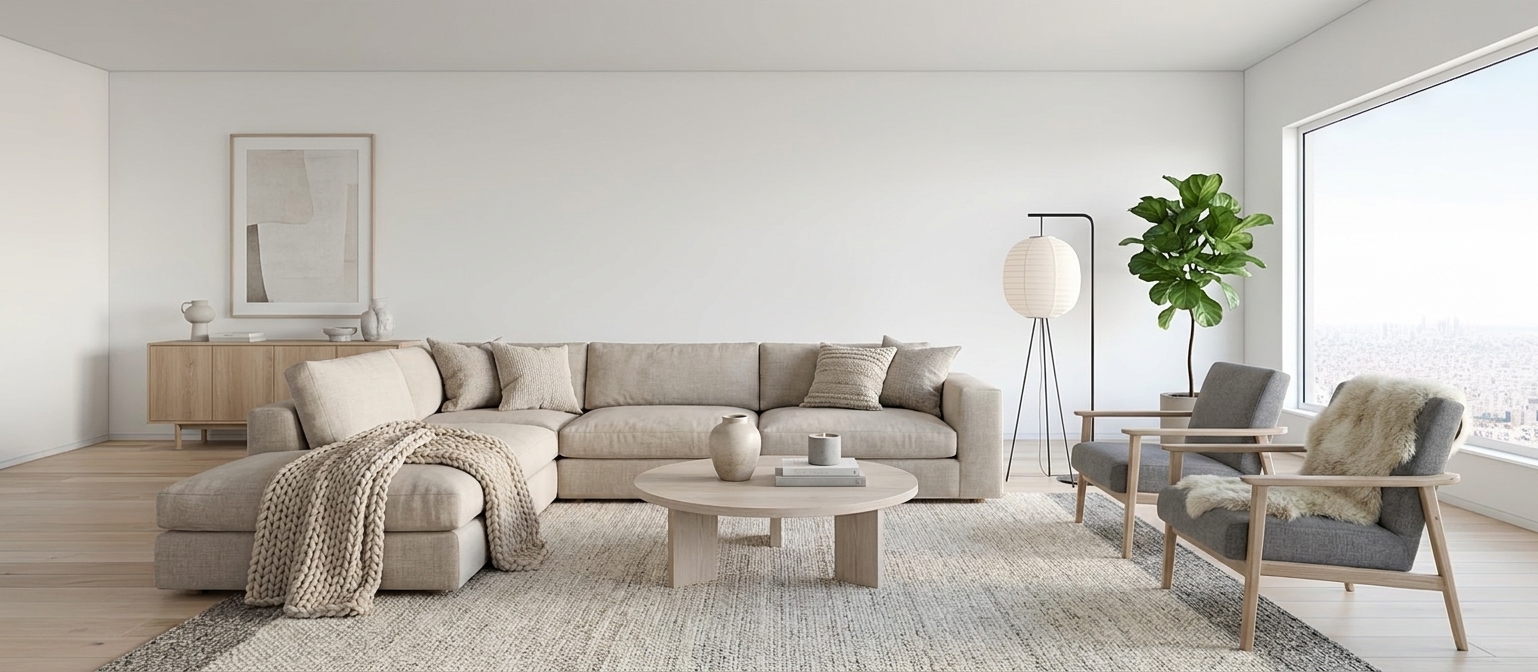 |
The same photo. Walls, window, floor and camera angle are untouched; only furniture and décor were added.
Why stage at all?
Empty rooms photograph badly. Without furniture there is nothing to show scale, so rooms look smaller, and buyers struggle to picture how a space would be lived in. Staged listings get more clicks, and in a feed of a hundred apartments, the click is the whole game.
Side by side
| Virtual staging | Physical staging | |
|---|---|---|
| Cost | A small amount per photo | Furniture rental, transport, labour, often monthly |
| Time | About 30 seconds per room | Days to arrange, hours to install |
| Styles | As many as you want to try | One, the furniture you rented |
| Rooms | Any number, same effort | Every room adds cost |
| Changes | A sentence ("lighter rug") | Another visit |
| In-person viewings | The rooms are still empty | Buyers see the furniture |
| Off-plan / under construction | Works from renders or site photos | Not possible |
When virtual staging is the right call
- Online listings. Most buyers decide whether to visit from the photos. That's where the effect of staging is largest, and where virtual costs least.
- Off-plan and new builds. Very common across the Gulf and in Palestine: the apartment isn't finished or isn't furnished, and you need attractive photos now.
- Vacant homes where the seller has already moved out.
- Testing a look. Show the same room as Modern, Scandinavian and Moroccan, and let the buyer or client choose.
- Rentals and holiday homes that need fresh photos for every season.
When physical staging is worth it
- High-end homes with many in-person viewings, where the empty rooms buyers walk into would contradict the photos they saw.
- Show apartments in a development, where one well-furnished unit sells many.
- Homes with an unusual layout that buyers need to experience to understand.
Doing virtual staging honestly
Virtual staging is only useful if it's truthful. Three rules:
- Change the furniture, never the property. Walls, windows, floors, views and room sizes must stay exactly as they are. In Architerior AI, staging keeps the walls, windows, floor and camera angle as photographed and only adds furniture and décor.
- Say that it's staged. Label the photos as virtually staged. The app's MLS-safe download puts the original and the staged photo side by side, with a Virtually staged ribbon and a note underneath.
- Keep the empty photo too. Showing both lets buyers see the real room and its potential, which is exactly what the side-by-side copy does.
If an edit changes the structure of the room, such as removing a wall, that image can no longer carry the MLS-safe label.
How to virtually stage a room
- Open Furnish an empty room and upload a photo of the empty room. A wide, level shot taken from a corner works best.
- Choose the room type and one or more styles.
- Press Stage the room. It takes about 30 seconds per style.
- Keep your favourite, ask for changes in plain words, and download the labelled copy.
For a whole property, Stage a whole house stages every room in one consistent style. The staged photos can then be turned into a property tour video for Instagram and WhatsApp.
Questions
Is virtual staging allowed on listing sites? Generally yes, as long as the photos are labelled as virtually staged and the property itself isn't misrepresented. Check the rules of the platform you list on.
Does virtual staging change the room? It shouldn't, and here it doesn't. The walls, windows, floor and camera angle are kept exactly as photographed; only furniture and décor are added.
Can I stage a room that isn't finished yet? Yes, from a site photo or a render. For a home that only exists on paper, start from the floor plan instead.
How much does it cost? Each staged photo uses credits, shown on the button before you generate. New accounts get free credits to try it.
Ready to furnish an empty room?
Upload a photo of the empty room. Walls, windows and camera stay exactly as shot.
Furnish an empty room